
GPT Image 2 education visuals: courseware, infographics & multilingual
July 2026: batch course covers, teaching infographics, storyboards with gptimage 2 Thinking mode.
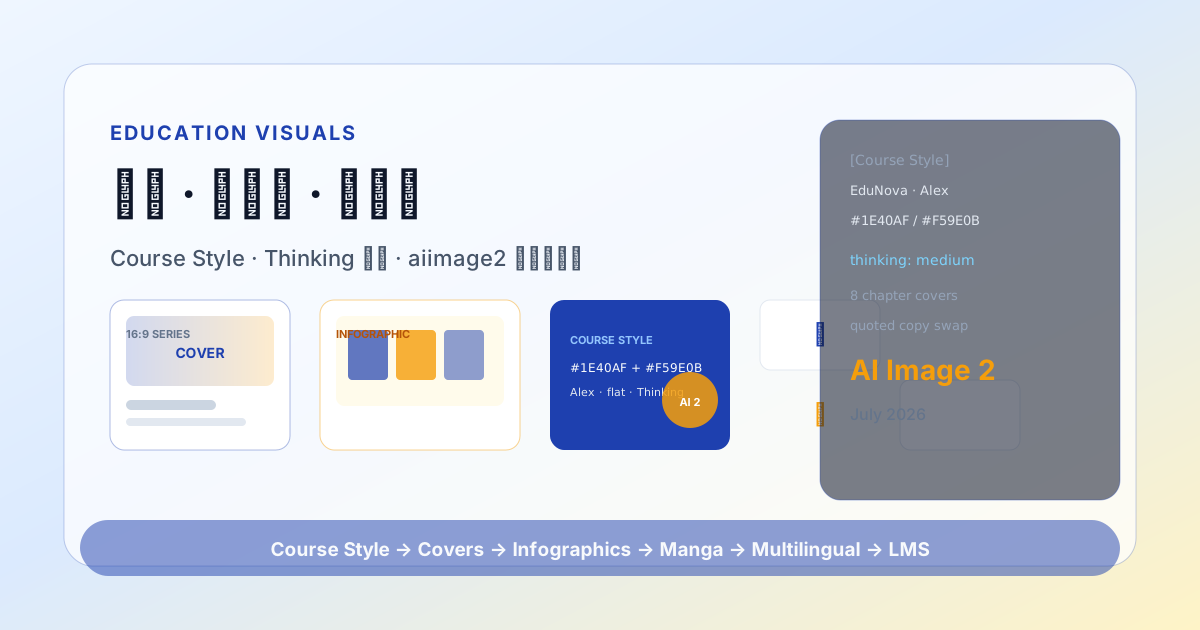
कोर्स kickoff से launch तक visuals अक्सर 30%–40% timeline लेते हैं: covers, chapter headers, concept infographics, exercise illustrations, posters, multilingual versions… पारंपरिक flow में illustrator + designer + localization सीरीज़ में — एक chapter title बदलने पर आधा set दोबारा।
GPT Image 2 (gptimage 2) education में text rendering, layout planning, multi-image coherence को Thinking mode workflow में embed करके चमकता है — labels और multilingual swap वाली dense AI image generation के लिए। जुलाई 2026 K12, vocational training, MOOC practice से reusable education visual pipeline।
education टीमों को gptimage 2 क्यों चाहिए
| Pain | Traditional | GPT Image 2 |
|---|---|---|
| Chapter covers inconsistent | Multiple vendors | Thinking mode 8 covers एक series |
| Infographic typos | PS में fix | Text rendering titles/labels |
| Abstract concepts hard | Text/stock only | Prompt + step diagrams |
| Multilingual courseware | Reflow + redraw | Quoted copy only, layout fixed |
| Manga/storyboard | Character inconsistent | Character lock + reference edits |
| Compliance/copyright | Celebrity/trademark misuse | Brand Block + forbidden list |
gptimage 2 instructional design replace नहीं — ID/visual को «per image commission» से template batch + human review पर।
Which education assets fit GPT Image 2
| Asset type | gptimage 2 fit | Notes |
|---|---|---|
| Course/module covers | ★★★★★ | 16:9 / 1:1, series 8 |
| Concept infographics / flowcharts | ★★★★★ | Thinking + zone labels |
| Chapter headers / transition slides | ★★★★★ | Same Course Style as covers |
| Teaching manga / 4–8 panel storyboards | ★★★★☆ | Character lock + Thinking |
| Data charts (illustrative) | ★★★★☆ | Human verifies numbers & sources |
| Lab/equipment diagrams | ★★★★☆ | Expert review for science accuracy |
| Dense formulas/code screenshots | ★★☆☆☆ | LaTeX/IDE overlay preferred |
| Print-ready textbook pages | ★★★☆☆ | 300dpi + vector type |
Build Course Style block
Git/Notion में Course Style रखें — हर gptimage 2 request के ऊपर चिपकाएँ:
[Course Style]
Institution: EduNova Academy (sample)
Audience: 18–25 career newcomers
Primary: #1E40AF (blue) + #F59E0B (amber accent)
Style: flat illustration + light 3D icons, friendly, not childish
Type feel: rounded sans-serif, bold headlines, Regular labels
Character (if any): mentor Alex — short hair, glasses, navy cardigan, consistent throughout
Forbidden: unauthorized brand Logo, real celebrity faces, medical/investment promise language
[Output] 2048px long edge; 12% safe margin; sRGB
Stable Course Style से cross-chapter AI image generation एक course जैसा लगता है।
Standard workflow
Step 1: Module cover series (Thinking mode)
Generate 8 chapter cover series for "Python Data Analysis Intro" MOOC.
Thinking mode: list 8 compositions first (center icon, split columns, isometric grid…),
unify Course Style primary #1E40AF/#F59E0B, reserve 25% height for chapter number and title.
Chapter 3 title in quotes: "Data Cleaning & Missing Values"
Subtitle: "Pandas in Practice"
Flat illustration, no real brand Logo, 16:9.
1 Master Cover चुनें; बाकी alternate.
Step 2: Concept infographics
Teaching infographic: explain relationship among training set, validation set, test set.
Three-column layout, column titles in quotes: "Training Set" "Validation Set" "Test Set",
two lines of explanatory text below each, bottom summary line "Split before you tune".
Course Style palette, Thinking mode, 4:5 portrait, educational infographic style.Important: Data, ratios, terminology human-verified by SME.
Step 3: Teaching storyboard (4-panel manga)
4-panel educational manga, same character Alex (short hair, glasses, navy cardigan),
explaining "why split dataset before tuning", one short dialogue line below each panel,
clear lines, consistent character, Course Style background, Thinking mode.
API n: 4 या single Thinking; complex narrative 2 requests में split.
Step 4: Multilingual courseware visuals
Layout/Course Style fixed ; quoted copy only:
- English:
"Data Cleaning & Missing Values" - Japanese:
"データクリーニングと欠損値" - Spanish:
"Limpieza de datos y valores faltantes"
RTL: image without small type + LMS overlay.
Step 5: Review and ingest
- Facts & terminology
- Readability: projection/mobile, contrast
- Accessibility: color-blind friendly
- Naming:
MOOC_Python_Ch03_cover_v2_hi.png - LMS / DAM: chapter ID + prompt version
gptimage 2 + LMS / design tools
Recommended division:
- Instructional Designer: objectives, scripts, Course Style
- Subject Matter Expert: infographic data & terminology review
- GPT Image 2: cover series, infographics, storyboard mood
- Designer: Logo overlay, complex charts, print PDF
- Localization: quoted copy only
Example: gptimage 2 Logo-free background → Figma institutional ID + legal line → Moodle/Canvas/custom LMS.
Common failures
| Symptom | Cause | Fix |
|---|---|---|
| 8 covers disjointed | Thinking off | «Same MOOC series» + fewer elements |
| Infographic numbers wrong | AI hallucination | Human data table; limit web search |
| Character inconsistent | Vague description | Course Style lock; reference edit |
| Chinese title typos | Instant | Thinking mode ; shorten copy |
| Projection unreadable | Low contrast | High contrast prompt; outline post |
Education KPIs
Completion/satisfaction के अलावा:
- Visual consistency score: curriculum lead blind 1–5
- Production cycle: script freeze → full visual kit (days)
- Rework rate: fact/terminology rejection %
- gptimage 2 cost/course: API medium × images + review minutes
Vocational platform case (2026 Q2): 12-chapter MOOC 18 → 5 person-days ; blind 3.0 → 4.4 (/5).
Team roles & governance
| Role | Responsibility |
|---|---|
| Course lead | Course Style, visual sign-off |
| Subject expert | Infographic facts, terminology |
| ID / script | Chapter briefs, quoted titles |
| Visual / design | Master, Logo composite, print |
| Localization | Quoted copy — layout fixed |
| Engineering | gptimage 2 API batch, LMS webhooks |
Semester prompt review: retire high-error templates.
Closing
GPT Image 2 shifts education visuals to Course Style + Thinking + multilingual quoted copy — practical AI image generation 2026. Pilot 1 course (8 covers + 3 infographics + 2 languages).
Further reading
बनाने के लिए तैयार?
App workbench पर जाएँ और GPT Image जनरेशन व multi-turn एडिटिंग मुफ़्त आज़माएँ।
मुफ़्त शुरू करें →