
GPT Image 2 Brand Visual System: Logo, KV & Full-Touch Consistency
July 2026: Build a reusable brand pipeline with gptimage 2 — Logo variants, master KV, social templates, and print assets.
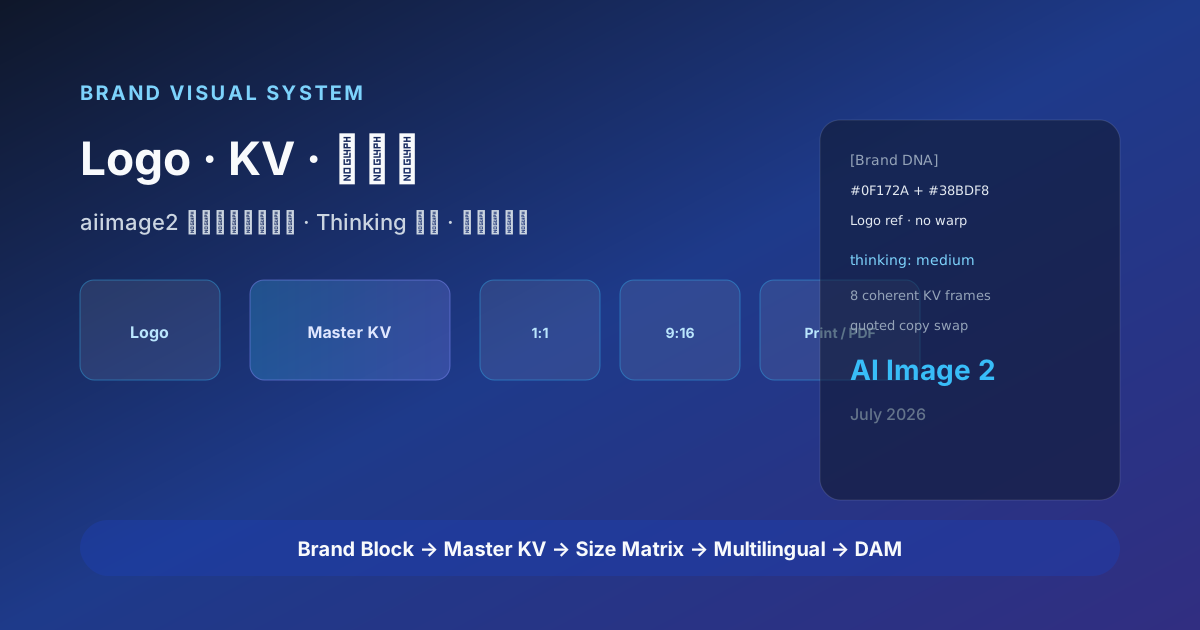
When teams scale from “one poster now and then” to 20 channel updates weekly, 12 aspect ratios, and 4 languages in sync, the bottleneck is not creativity — it is brand consistency. Primary color off by 5%, Logo clearspace cropped, subhead drifting from Sans to Serif — these flaws amplify under AI image generation at batch scale.
GPT Image 2 (site shorthand gptimage 2) embeds brand rules inside prompts and Thinking mode planning: align layout and text rendering first, then ship Logo applications, master KV, social covers, and offline extensions in one pass. This brand visual system playbook reflects July 2026 field practice for marketing, brand, and growth teams.
Why brand teams need gptimage 2
Traditional VI manuals live as PDFs; execution depends on designer memory. AI image generation defaults to random each run — without system constraints, gptimage 2 still outputs images that look on-brand side-by-side but fail scrutiny.
| Pain point | Without a system | With GPT Image 2 |
|---|---|---|
| Logo misuse | Warp, recolor, drop shadow | Brand Block locks ratio and clearspace |
| KV inconsistency | Eight frames, eight lighting moods | Thinking mode plans 8 coherent compositions |
| Multilingual subheads | Garbled or broken lines | Text rendering 99%+ EN, 90%+ CN |
| Channel size explosion | Manual crop 16:9 / 1:1 / 9:16 | Same master prompt, change aspect |
| Slogan iteration | Reshoot entire series | Swap quoted copy only, layout fixed |
gptimage 2 does not replace the VI manual — it turns the manual into executable prompt templates + review checklists.
Brand visual system touchpoints
Map your touchpoints first, then decide which go to GPT Image 2, which stay human or 3D:
| Touchpoint | gptimage 2 fit | Notes |
|---|---|---|
| Logo applications (cards, letterhead, storefront mock) | ★★★★☆ | Strict Brand Block; do not generate registrable new Logo marks |
| Master KV / campaign hero | ★★★★★ | Thinking mode + series of 8 |
| Social covers (1:1 / 4:5 / 16:9) | ★★★★★ | Same layout, resize aspect |
| Countdown / promo strips | ★★★★★ | Needs precise text rendering |
| Brand illustration / mascot extensions | ★★★★☆ | Lock character descriptor + reference edits |
| Packaging mockup | ★★★☆☆ | Pair with photo when structure is complex |
| Legal docs / dense fine print | ★★☆☆☆ | Prefer vector layout |
Build Brand DNA block
Maintain a Brand DNA header in Notion or Git — paste atop every gptimage 2 request:
[Brand DNA]
Name: NovaPay (sample fintech brand)
Primary: #0F172A (deep blue) + #38BDF8 (sky accent)
Secondary: #F8FAFC background; no pure #000
Type feel: geometric sans, bold headlines, regular body
Photo style: light glassmorphism UI + real people (East/Southeast Asian diversity)
Logo rule: uploaded reference only — never AI-redraw Logo letterforms
Forbidden: competitor palettes, fake regulatory badges, unlicensed celebrities
[Output] 2048px long edge; 10% safe margin; sRGB
Stable Brand DNA makes gptimage 2 cross-channel output read as one design system.
Standard workflow
Step 1 — Master KV planning (Thinking mode)
Generate master KV series for NovaPay 2026 Q3 "Cross-border payments" campaign.
Thinking mode: list 8 compositions first (center product, diagonal, split columns, full-bleed talent…),
unify primary #0F172A/#38BDF8, reserve 30% height for headline zone.
Headline in quotes: "Cross-border payouts, one global balance"
Subhead: "Zero FX loss · T+0 settlement"
No Logo distortion; no recognizable real bank logos in frame.
Aspect 16:9, commercial photography lighting.
Pick one frame as Master KV; keep the rest for A/B tests.
Step 2 — Logo applications (reference edit)
Upload vector Logo PNG; use edit / reference flow:
Using uploaded Logo, generate 4 brand application mockups: business card, envelope,
conference glass door, App splash screen. Keep Logo color and proportion unchanged;
background follows Brand DNA palette, minimal corporate style.Important: GPT Image 2 shows Logo applications — it is not for designing a new registrable Logo from scratch.
Step 3 — Social size matrix
From Master KV description, change aspect and platform safe zones only:
| Platform | Ratio | Prompt add-on |
|---|---|---|
| WeChat header | 2.35:1 | Title centered upper, 8% side margin |
| Instagram feed | 1:1 | Product centered, headline within two lines |
| Story / Reels | 9:16 | Top 15% UI safe, bottom 20% CTA |
| 1.91:1 | Business talent + data visualization |
Same campaign as Master KV, switch to 1:1 aspect, headline still "Cross-border payouts, one global balance",
compact layout, high contrast readability, gptimage 2 Thinking mode on.
Step 4 — Multilingual versions
Keep layout description fixed; swap quoted copy only:
- English:
"Global payouts, one balance" - Japanese:
"国境を越える受取、一つの残高" - Arabic markets: prefer image-without-small-type + localized overlay to avoid RTL layout errors
Step 5 — Review and archive
- Copy proof: prices, dates, compliance terms (“lowest”, “first”, etc.)
- Brand color: sample against Brand DNA hex values
- Logo check: clearspace, minimum size, mono/reverse versions
- Naming:
2026Q3_NovaPay_KV16x9_v3_en.png - DAM ingest: Figma, Cloudflare R2, or enterprise storage — link prompt version ID
gptimage 2 + Figma collaboration
Recommended division of labor:
- Figma: component library, real Logo, final layout and specs
- GPT Image 2: photo-grade backgrounds, talent, mood, rapid series exploration
- Human: composite Logo, tweak tracking, export print PDF
In a Figma plugin flow: gptimage 2 outputs background layer → designer stacks Logo and legal line. Far more controllable than pure AI frames with embedded Logo — often an order of magnitude better governance.
Common failures
| Symptom | Cause | Fix |
|---|---|---|
| Eight KV frames feel unrelated | Thinking off or prompt overloaded | Fewer elements; add “same campaign series” |
| Primary color drift | No hex in prompt | Lock # values in Brand DNA |
| Logo warped by AI | No reference image | Upload Logo + edits API |
| Chinese subhead typos | Instant mode | Switch Thinking mode; shorten copy |
| Print looks soft | Resolution too low | Specify 2048/4K; vectors for print |
Brand KPIs
Beyond CTR and conversion, track:
- Brand consistency score: design lead blind-rates series 1–5
- Rework rate: assets rejected for VI violations
- Time to market: brief → full-channel kit in days
- gptimage 2 cost per kit: API medium × image count + human minutes
SaaS team case (2026 Q2): master KV + 6 sizes × 3 languages dropped from 12 person-days to 3; blind brand score rose from 3.2 to 4.5 (5-point scale).
Team roles & governance
| Role | Responsibility |
|---|---|
| Brand lead | Maintain Brand DNA, final VI sign-off |
| Creative / design | Select Master KV, composite Logo |
| Growth / ops | Channel briefs, quoted copy strings |
| Localization | Translate quoted copy — do not change layout |
| Engineering | gptimage 2 API batch, DAM webhooks |
Run a quarterly prompt library review: retire drifting templates; merge high-performing structures.
Closing
GPT Image 2 shifts brand visuals from project mode to system mode: Brand DNA + Thinking mode + size matrix + multilingual quoted copy is gptimage 2’s most underrated enterprise use in 2026. Pilot one KV set + 4 social sizes + 2 languages on the next campaign, run the review checklist, then expand touchpoints — lower risk than replacing the entire VI at once, and easier to prove AI image generation brand value to leadership.
Further reading
Ready to create?
Jump to the App workbench and try GPT Image generation and multi-turn editing for free.
Start Creating Free →